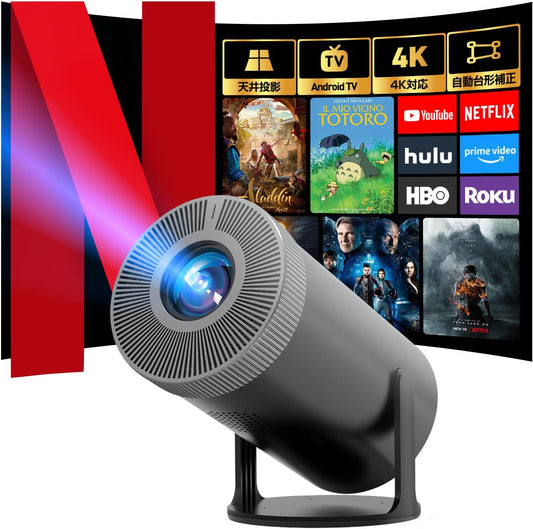
Space and Installation Guide for a Gaming Home Theater | Aestiquo P1 Projector Utilization Guide
In recent years, games have become more than just entertainment; they've become an integral part of life. Many people, young and old alike, enjoy gaming. But how much space is really needed to enjoy games? This time, we'll introduce how to create a gaming space using Aestiquo projectors and DVD players.
Basic Requirements for a Gaming Space
A space for enjoying games has minimum requirements. By incorporating the following three elements, you can achieve a fulfilling gaming experience.
Display Device
A large screen is essential for an immersive gaming experience. The Aestiquo Q1 Projector can project up to 350 inches, allowing you to enjoy a cinema-like atmosphere at home.
Audio Equipment
To truly immerse yourself in the game world, clear and powerful sound is indispensable. Connect external speakers or headphones to enhance your game's audio environment.
Input Devices
Choose wireless controllers, keyboards, mice, etc., depending on the type of game. Wireless devices are especially convenient when using a projector.
Optimizing Your Gaming Space with Aestiquo Products
By utilizing Aestiquo products, you can efficiently create a gaming space even in limited areas. Below are the features of some representative products.
Q1 Projector: Large-screen Projection Optimized for Gaming
- 270-degree Rotating Stand: Project onto walls, ceilings, floors, or any desired surface.
- Automatic Keystone Correction: Automatically corrects distortion even with angled projection.
- 1080P Full HD: Reproduces game details with sharp image quality.
- 3000 CVIA Lumens: Vibrant display even in bright environments.
PD101 DVD Player: Versatile Media Compatibility
- HDMI Output: Connect to a projector for large-screen playback.
- USB/SD Card Support: Play game data from external media.
- Game Video Recording: Use for recording and editing live gameplay.

Connecting a projector and a gaming console with an HDMI cable allows for a high-quality, high-fidelity gaming experience.
How to Create a Gaming Space: Specific Steps
Decide where to place the projector. The Q1's recommended projection distance is 1.1m to 3.8m. Choose based on your room's layout, such as tabletop, wall-mounted, or ceiling-mounted.
Connect the Q1 projector and your gaming console (PS5/Xbox Series X, etc.) with an HDMI cable. The PD101 DVD player can also be connected to the projector to play game videos.
Adjust the projector's image settings. Selecting "Game Mode" improves motion tracking and optimizes image quality for gaming. Adjust brightness and contrast according to your environment.
Connect external speakers or headphones using the Q1's 3.5mm audio output jack. Introducing a surround sound system can further enhance the immersive audio experience.
Organize the space by placing charging stands for game controllers and shelves for game software. Indirect lighting can prevent reflections on the screen.
Examples of Gaming Space Utilization
Party Games
Project Wii or Nintendo Switch games onto a large screen for multiple people to enjoy. The Q1's large-screen projection further enhances the excitement of the game.
Game Streaming
You can record gameplay with the PD101 DVD player and later edit and stream it on YouTube. High-quality recording is easy.
Reviving Retro Games
Connect old gaming consoles to the projector via an HDMI converter to enjoy nostalgic games on a large screen. The Q1's high-definition display brings new charm to retro games.

Using an Aestiquo projector, you can create a large-screen gaming space even in a small room.
Summary: The Need for a Gaming Space and the Advantages of Aestiquo Products
A place to enjoy games doesn't necessarily require a large space. By utilizing Aestiquo's Q1 projector and PD101 DVD player, you can create an immersive gaming space even in a small room.
In particular, the Q1's 270-degree rotating stand and automatic keystone correction, and the PD101's versatile media compatibility are highly appealing to game enthusiasts.
Games will continue to evolve in the future. Why not create your own gaming space to match? Aestiquo products are powerful partners that cater to all gaming scenarios.